Step 01
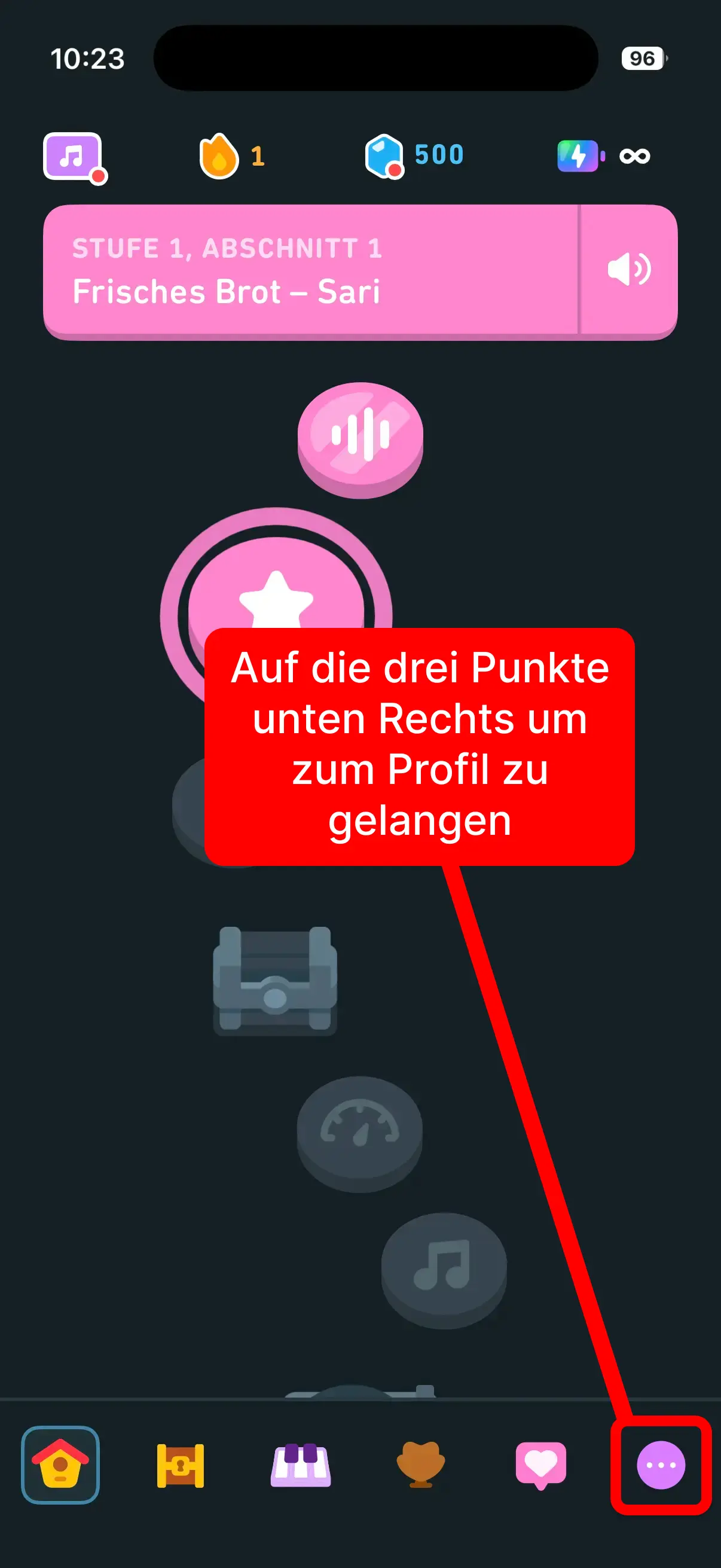
Tap the three dots
Open the account area in the Duolingo app by tapping the bottom-right menu.
Follow these exact screenshots and copy the username from your profile. The input in our form accepts username with or without @.
Step 01
Open the account area in the Duolingo app by tapping the bottom-right menu.
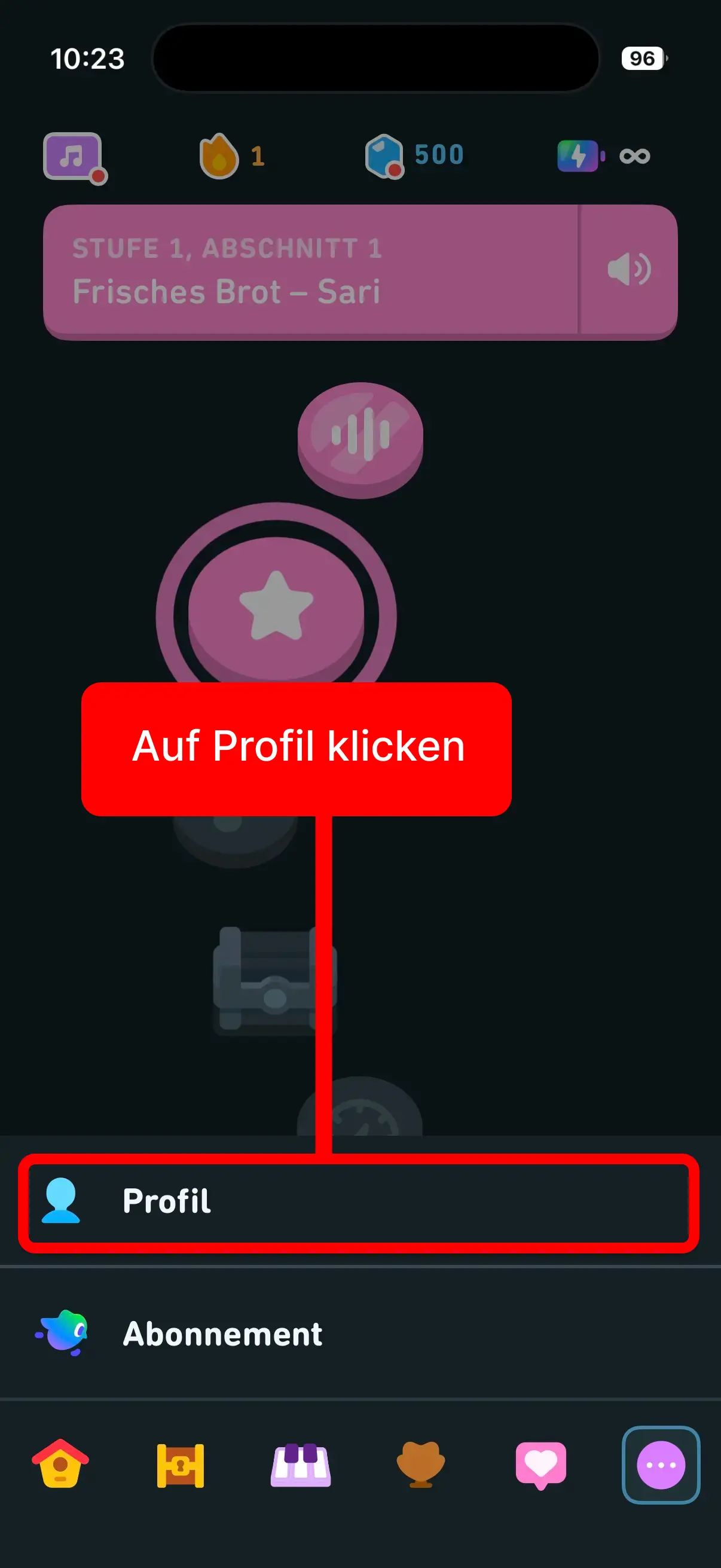
Step 02
Tap Profile so your account details are shown.
Step 03
Use the exact username shown in your profile. In our form, it works with or without @.
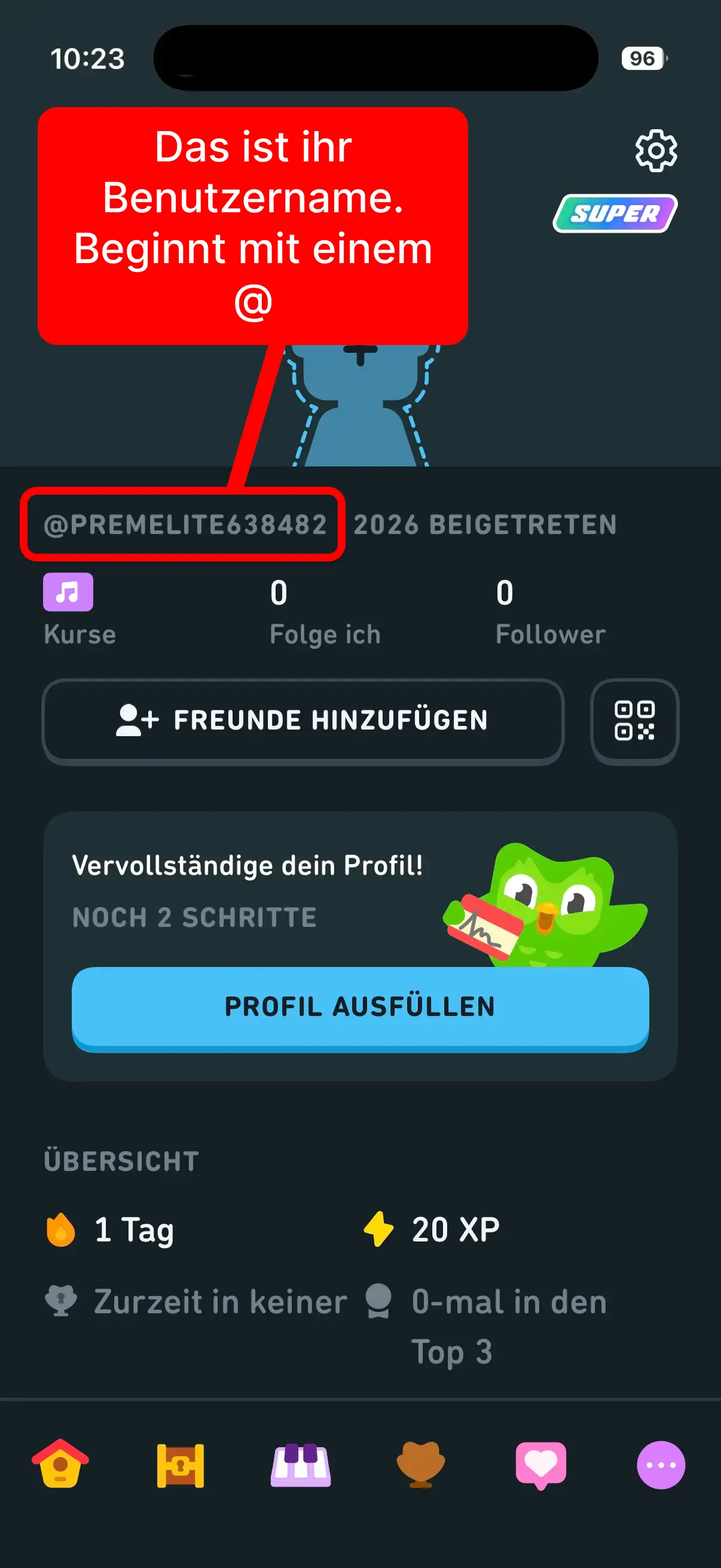
Important: Please do not enter your email address or display name. Only the exact profile username is valid.
Open support form now